

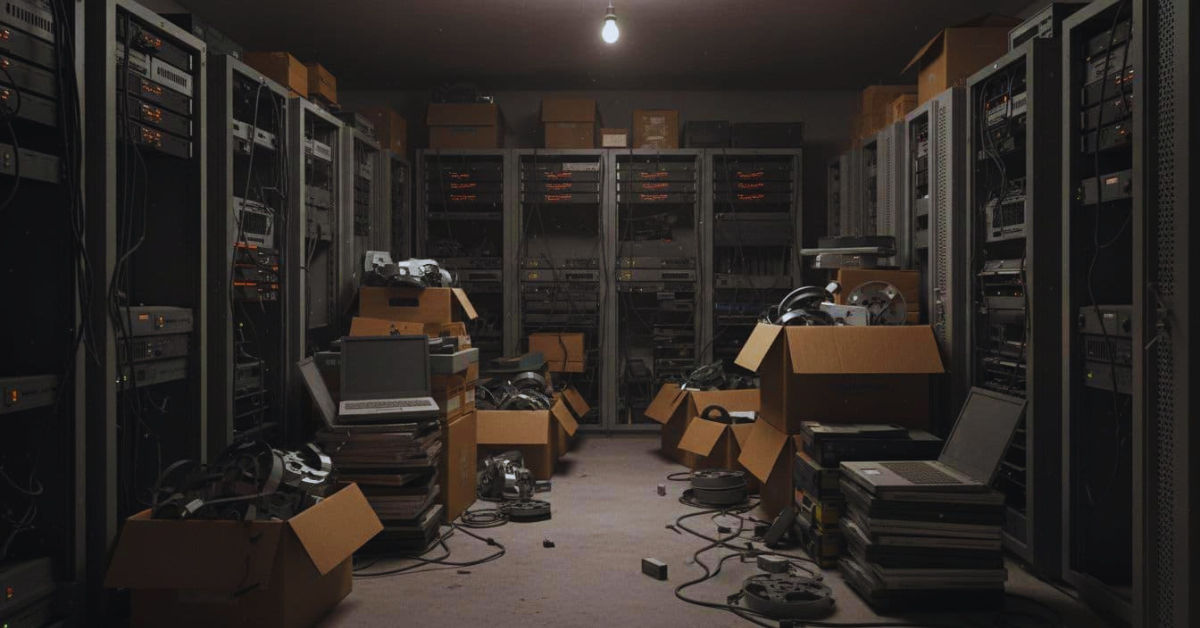
If you work in insurance, IT or compliance, you’ve seen it: a “retired” claims platform that isn’t really gone. An old imaging server sits in a cage, tape cartons live in offsite storage, and a stack of laptops from prior adjuster teams waits for someone to decide what to do.
The risk grows with time. Inventory gets fuzzy, people change roles, encryption keys go missing, and mergers leave behind systems no one fully owns. In the Seattle area, it’s common to inherit equipment from acquisitions and relocations, then watch it drift into long-term storage.
This post breaks down what claims data is still hiding in legacy environments, what regulators expect when you dispose of it, and why documented destruction (with chain of custody and a certificate) often ends up being the safest route.
What is still sitting inside legacy claims systems, and why it is a liability
“Buried data” usually isn’t one neat database you can export and delete. Claims information spreads across application servers, document repositories, scan workflows, email systems, and multiple generations of backups. Even when a platform is offline, the storage behind it often remains intact.
For claims operations, the sensitive mix is broad:
- Personally identifying details (names, addresses, SSNs, driver’s license numbers)
- Financial data (bank details, card numbers, billing and payment records)
- Policy and claim history (loss narratives, reserves, subrogation notes)
- Photos, signatures, and recorded statements
- Health-related information that may qualify as PHI in many lines of business
The problem is simple: retired systems still contain live data. Deleting files, “quick formatting,” or removing a user account doesn’t make information unrecoverable. Data can persist in unallocated space, snapshots, RAID sets, virtual disks, and old backup media. That’s why legacy system hard drive destruction is often discussed in the same breath as claims retirement projects, it’s one of the few methods that removes doubt.
This isn’t just theoretical. When insurers modernize, many teams underestimate the “last mile” risk of decommissioning. Industry write-ups on the operational and security downsides of aging platforms often focus on uptime and agility, but they also highlight how legacy environments create blind spots that linger after migration. See the discussion of ongoing exposure in hidden risks of legacy insurance systems.
Here’s a quick way to think about the spread of data during retirement planning:
| Claims data type | Common hiding place | Why it’s missed |
| Claim photos and PDFs | Legacy imaging system | Separate admin and storage layers |
| Payment history exports | Shared file server | “Temporary” folders become permanent |
| ID documents | Adjuster laptops | Local caches and synced folders |
| Call recordings | Old NAS/SAN arrays | Unknown retention and naming |
| Archived records | Backup tapes | Poor labeling, offsite turnover |
If you can’t show where the data went and how it became unrecoverable, auditors often treat it as still at risk.
The “forgotten” places claims data hides (beyond the main database)
Most legacy claims cleanups miss at least one of these:
- Adjuster laptops and desktops (local downloads, cached attachments, sync folders)
- Shared file servers and old departmental shares
- Legacy imaging and scanning stations (local queues, spool folders)
- Backup tapes and removable media (USB drives, external HDDs)
- Decommissioned SAN/NAS arrays and retired virtual hosts
A quick “spot it” pass that works well during retirement projects is to ask: Where did staff save files when the system ran slow? Where did vendors stage imports? Where did the business store “just in case” exports?
Why old systems are harder to defend than active platforms
Active platforms usually sit behind current monitoring, access reviews, patching, and incident response playbooks. Old environments don’t.
Unsupported operating systems linger because upgrades were postponed. Logging may be weak, or no one remembers where logs even live. Access lists get messy after vendor changes and reorganizations. Meanwhile, a storage closet or offsite box can be a softer target than a hardened data center. In other words, the least maintained assets can carry the highest sensitivity.
Regulators and auditors care about disposal, not just retention
Retention tells you how long you must keep records. Disposal is what you must do when that clock runs out. For insurers, regulators generally expect you to protect customer information through its full lifecycle, including secure destruction that makes data unreadable and unrecoverable.
At a federal level, the basics show up repeatedly in exams and vendor risk reviews:
- GLBA Safeguards expectations for protecting customer information, including proper disposal of devices and media when no longer needed.
- FACTA’s Disposal Rule concept of “reasonable measures” to prevent unauthorized access to consumer report information during disposal.
- HIPAA considerations when claims files include health information, which can require secure destruction methods for PHI after retention requirements are met.
State rules can raise the bar. As of early 2026, several states have tightened privacy and insurance data security expectations, and insurance-specific models continue to spread. The practical takeaway for a compliance team is consistent: if you operate in multiple states, you need a disposal standard that holds up everywhere, not one that barely passes in one jurisdiction.
That’s also why teams searching for insurance company data disposal Seattle services often want more than “recycling.” They want a defensible process that stands up in audits, supports third-party risk management, and reduces breach-notice exposure if a device goes missing.
For context on how insurers are wrestling with long-term technical debt, and why older platforms persist longer than planned, see Insurers cannot continue to ignore decades of technical and process debt.
What “secure disposal” means in practice (and what does not count)
Some actions feel satisfying but don’t hold up:
- Deleting files, emptying the recycle bin, or resetting a device
- Quick formatting a drive
- Donating or reselling devices without verified sanitization
Stronger options include NIST-aligned sanitization (clear, purge, or destroy), controlled transport, and verification that the method worked. In some cases, verified wiping can be acceptable, for example, when hardware will be redeployed internally and you can validate results and retain records. On the other hand, for high-risk claims data, for drives that fail wiping, or when chain of custody has gaps, physical destruction can be the cleaner answer.
Documentation you will wish you had during an audit
Audits tend to focus on proof, not intent. Keep records that tie each asset to an outcome:
- Asset inventory (including serial numbers and drive IDs where possible)
- Chain-of-custody logs (who handled what, when, and where)
- Sanitization or destruction method used
- Dates, locations, and witness details (if witnessed)
- Vendor certifications and downstream handling notes
- A multi-year retention period for disposal records that matches internal audit and regulatory exam needs
A certificate of destruction is a formal record stating the device or media was destroyed (or sanitized) using a defined method, on a defined date, under documented control. It matters because it turns “we think we disposed of it” into evidence.
A safer end of life plan: secure pickup, destruction, and verified recycling
A solid end-of-life plan looks more like a controlled project than a cleanup day. It also needs to work for mixed fleets: servers, laptops, external drives, tapes, and “mystery boxes” from prior vendors.
A practical workflow most insurance operations teams can adopt:
First, inventory and classify by data sensitivity and system role (claims, billing, underwriting, HR). Next, decide wipe vs destroy using a simple rule: if the data is high-risk or the drive might fail wiping, plan on destruction. Then isolate equipment in a secured area, limit access, and log custody before anything leaves the site. After that, use secure transport (sealed containers, documented handoffs), then choose on-site, witnessed, or off-site destruction based on your risk tolerance and audit needs. Finally, route remaining materials through responsible recycling partners.
For organizations that want one provider to manage both security and environmental handling, this often falls under financial services device recycling, but the security steps have to come first.
Living Green Technology’s approach is designed around that risk reality. They offer free business pickups, NIST-aligned wiping with the option for a higher standard, and a clear rule for problem drives: if a drive fails sanitization, it gets physically destroyed (drilled and shredded). They also operate with NAID membership, participate in E-Cycle Washington, and use R2-certified downstream partners for recycling after data destruction. For a detailed look at their finance and insurance process, see financial and insurance electronics recycling and secure data destruction.
When physical destruction is the simplest, strongest option
Wiping can work when you control the device, validate results, and trust the hardware. Still, claims and underwriting drives often contain decades of sensitive history, and the cost of a mistake is high. Shredding, crushing, or drilling lowers residual risk because it removes the “recoverable later” question.
On-site or witnessed destruction can also improve control when you have tight compliance obligations or when you’re retiring assets after a merger. In those moments, reducing uncertainty is the whole point.
Conclusion
Old claims systems rarely die cleanly. They leave behind drives, tapes, and devices that still hold customer data, sometimes for years. Because disposal is a compliance requirement (not a nice-to-have), insurers need methods that make data unrecoverable and records that prove it happened. When auditors ask, the difference between a story and evidence is often a chain-of-custody log and a certificate of destruction.
Schedule certified data destruction for your retired insurance systems. Living Green Technology can assist.