
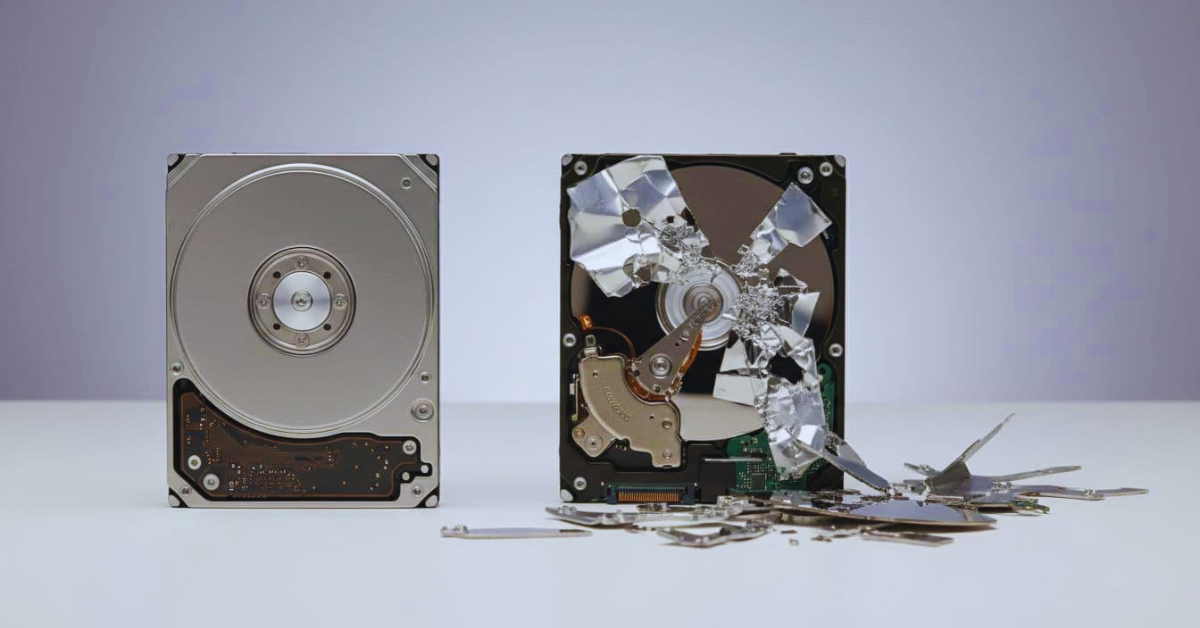
A lot of people treat a hard drive wipe and physical destruction as the same thing. They’re not. One method keeps the drive usable, the other makes it scrap.
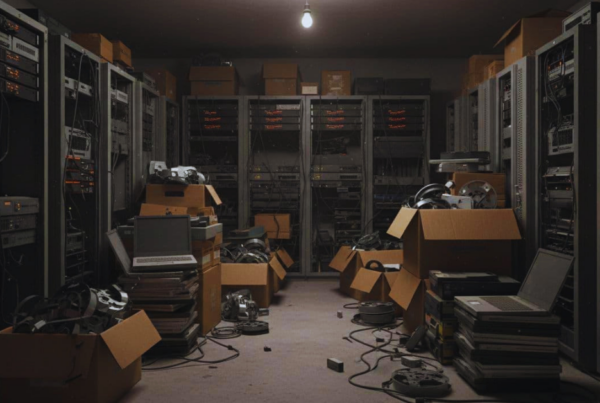
Picture a common moment: your company refreshes employee laptops, a server gets decommissioned, or a medical office upgrades workstations. The devices look harmless sitting in a closet, but the data inside them can still be recovered if you handle disposal the wrong way.
This guide helps you make a clean decision based on risk, reuse goals, cost, speed, and compliance. You’ll learn when a wipe is enough, when destruction is the safer call, and what proof to request so you can defend the decision later. It also stays grounded in real operations across Washington state, including the Seattle area and nearby hubs like Bellevue and Tacoma, where multi-site pickups and audit-ready paperwork matter.
Hard drive wipe vs destroy, the plain English difference
A wipe is like repainting a whiteboard until the old marker lines can’t be read anymore. The board still works. In technical terms, wiping (also called data sanitization or erasure) overwrites or otherwise sanitizes storage so the old files can’t be recovered with normal tools, and the drive can be reused.
Physical destruction is like smashing the whiteboard and throwing away the pieces. You’re not trying to keep the device usable. You’re making the storage media itself unreadable by breaking platters (HDDs) or memory chips (SSDs, flash). After that, you’re left with recycling, not reuse.
Here’s the practical difference most businesses care about:
| Goal | Wipe | Physical destruction |
| Keep the drive usable | Yes | No |
| Works on failed drives | No (usually) | Yes |
| Best for resale or donation | Yes | No |
| Strongest risk reduction | Strong | Strongest |
| Typical proof | Wipe report | Certificate of destruction |
The real gotcha is that results depend on process, not the buzzword. A “wipe” without verification logs is hard to defend. “Destroyed” without chain of custody can still create risk if drives disappear before destruction.
If you want a deeper framework for how the industry talks about levels of sanitization, see this overview of NIST 800-88 wipe, purge, and destroy concepts.
What a “wipe” actually does (and why HDD and SSD are not the same)
A proper wipe doesn’t “delete files.” It targets the underlying storage space so the old data can’t be reconstructed. For classic hard disk drives (HDDs), that often means overwriting sectors and then verifying the result. Good tooling also creates logs that tie the wipe to the device, not just the batch.
Solid-state drives (SSDs) behave differently. SSDs use wear leveling, which moves data around to extend drive life. Because of that, a simple overwrite approach can be less reliable if it doesn’t match the drive’s design. That’s why guidance like NIST matters, it pushes you toward methods that fit the media type (for example, approved sanitize commands or crypto-erase paths when available).
Also, wiping can’t fix a dead drive. If a device won’t power on, won’t enumerate, or throws constant read errors, software wiping may not complete or verify. At that point, destruction is often the only sensible option.
Living Green Technology uses Active@ KillDisk for wiping as an example of professional-grade erasure software, because it supports recognized methods and produces reporting that can be saved for audits.

What “physical destruction” means, crushing vs shredding, and why it is final
Physical destruction makes data unreadable by damaging the storage media itself. With HDDs, the goal is to deform or break platters and internal components so precision reading becomes infeasible. With SSDs and flash devices, destruction focuses on the memory chips and board components that hold the data.
You’ll usually hear two approaches:
- Crushing/punching: Applies force to bend, puncture, or deform the device fast.
- Shredding: Breaks media into small pieces, often used in high-volume operations.
Living Green Technology uses a MediaVise crusher (the MediaVise HDD Destroyer) as an example of this category, designed to quickly mangle drives. The big benefits are speed and certainty, it also works even when drives are broken. The tradeoff is simple: there’s no reuse. After destruction, you’re in recycling mode only.

How to choose the right method for each device and situation
Choosing between wipe and destruction is less about fear and more about matching the method to the device, the data, and your obligations. In other words, you’re balancing three things: how sensitive the data is, whether the drive is reusable, and what you must prove later.
Some Washington state requirements raise the stakes. Many organizations also follow internal retention and disposal policies that go beyond law. If you handle health data, employee data, customer PII, or financial records, you need a method that stands up to review.
Washington also has rules around properly disposing of personal information. It’s smart to understand the baseline expectations in Washington’s disposal of personal information law, then align your physical process and documentation with it.
Here’s a practical way to think about it: wiping is great when you want safe reuse and can verify success. Destruction is best when you want the lowest recovery risk, or when the device won’t cooperate.
If you can’t verify the result, you can’t defend the result. Treat proof as part of the service, not an add-on.
The decision also changes by device type. Employee laptops often contain cached email, browser sessions, saved passwords, and local sync folders. Servers can contain customer databases, logs, and regulated files. External drives and USBs show up in drawers years later, with no clear owner, which often pushes teams toward destruction.
The key is consistency. “data destruction standards Washington state” isn’t just a phrase, it’s a real expectation in audits: show that you chose a recognized method, followed it every time, and kept records.
When a certified wipe is usually the best fit
A verified wipe is usually the best fit when the drive is healthy and you want the device to keep its value.
Common examples include employee laptop refresh cycles, desktops headed to resale, or equipment donation programs. Leased equipment returns also often fit wiping well, as long as you can provide documentation to the leasing company (and keep it for your own records).
Wiping can take longer per drive than crushing, especially at scale. Still, it often costs less than destruction when you factor in reuse value. It also supports sustainability goals because the drive stays in service instead of turning into scrap.
The non-negotiable part is documentation. A wipe that produces a device-level report (with serial number capture and pass/fail verification) gives you something solid for internal review, client assurance, or a future audit.
If you want background on why many programs track “clear” versus stronger sanitize methods, this comparison of DoD-style wiping and NIST 800-88 is a useful reference.
When destruction is required (or the safest call)
When destruction is required vs. wipe usually comes down to one of five realities:
The drive is dead, you can’t boot it, or it won’t stay connected. The encryption status is unknown, and nobody can confirm key control. The data is highly sensitive or regulated. Your policy requires destruction for certain asset classes. Or leadership wants near-zero recovery risk and is willing to give up reuse value.
Some orgs also choose a “belt and suspenders” approach: wipe (when possible) and then destroy. It’s not always necessary, but it can make sense for the highest assurance cases, or when you’re simplifying a policy across many sites.
Local buying decisions matter too. If you’re searching for a DOD wipe certified recycler seattle, focus less on the marketing line and more on the basics: secure handling, controlled access, clear procedures, and proof documents that tie each drive to a method and date.
For a wider compliance lens in 2026, this summary of electronics disposal compliance risks can help you connect data destruction choices to disposal rules and downstream liability.
Standards, compliance, and proof, what auditors expect to see
Auditors and security teams don’t just ask, “Did you wipe it?” They ask, “How do you know it worked, and can you prove you controlled the devices the whole time?”
That’s why standards matter. A recognizable standard gives you a repeatable method. It also sets the terms for what “done” looks like, including verification steps and documentation.
Living Green Technology aligns its processes with a broad mix of government and healthcare frameworks. In plain language, that means they can match wiping and destruction work to recognized expectations across the US and internationally. Their list includes guidance such as NIST SP 800-88 and legacy US Department of Defense patterns, plus US military references (like US Army and US Air Force guidance), and other government standards across the UK (HMG IS5 baseline and enhanced), Canada (CSEC ITSG-06 and OPS-II), and Australia (ISM guidance). They also support healthcare-aligned needs such as HIPAA, and even include older country-specific references like Russian GOST, which some global organizations still call out.
This matters in real operations. A company with sites in seattle, bellevue, and tacoma might need the same method and paperwork everywhere so the policy stays consistent. It also avoids the headache of different departments doing different things “because that’s how we’ve always done it.”
For a practical view of what Living Green Technology offers locally, their page on secure data destruction standards lays out service options, including wiping, physical destruction, and reporting.
Wipe standards and what “compliant” should include
A professional wipe program should map to recognized guidance, most commonly NIST 800-88, while still supporting older overwrite patterns that some contracts request (including DoD-style methods). The point is not the name. The point is that the process is defined, repeatable, and verified.
This is where tooling and reporting matter. Active@ KillDisk is widely used in professional settings because it can produce logs that document what happened, including verification results and device identifiers. In an audit, that’s the difference between “we wiped it” and “here’s the report tied to this serial number.”
For SSDs, “compliant” also means choosing a method that fits the media. Sometimes that involves approved sanitize commands or crypto-erase workflows. The right approach depends on the device and how it was used, which is another reason to use a provider that can explain the why, not just run a machine.
Certificate of destruction (and wiping reports) what to ask for before you hand over drives
A wipe report and a certificate of destruction are not the same document.
A wipe report usually shows sanitization results per device, often with serial numbers, the method used, date/time, and a pass or fail status.
A certificate of destruction is the formal record that physical destruction occurred. It should tie the action to a defined method and a defined set of devices.
Before you hand over drives, ask your vendor these questions:
- What identifiers will you capture? (Serial number, asset tag, model)
- What method will you use for each device type? (HDD vs SSD vs flash)
- What proof will you provide? (Wipe report, certificate of destruction, optional photos)
- How do you control chain of custody? (Locked transport, secure storage, sign-offs)
- What happens to the remains? (Recycling flow and downstream controls)
Keep the documents somewhere that won’t get lost, because your future self will need them. That’s true for client audits, insurance questions, and security reviews.
If you want help picking the right method per device and getting documentation that holds up, talk to Living Green Technology about the right data destruction method for your devices.
Conclusion
A wipe and physical destruction solve different problems. A certified wipe makes sense when the drive works, you want reuse value, and you can produce verification logs tied to the device. Physical destruction fits broken drives, unknown conditions, and the highest-risk data, where the goal is to make recovery infeasible by damaging the media itself.
In both cases, proof is the real finish line. Wipe reports and certificates of destruction turn a technical action into a defensible business record. Chain of custody closes the gap between “we meant to do it” and “we did it.”
If you operate across Washington state, or you manage devices in seattle, bellevue, or tacoma, consistency matters even more. Talk to Living Green Technology about the right data destruction method for your devices, and the documentation you’ll want ready long after the hardware is gone.