

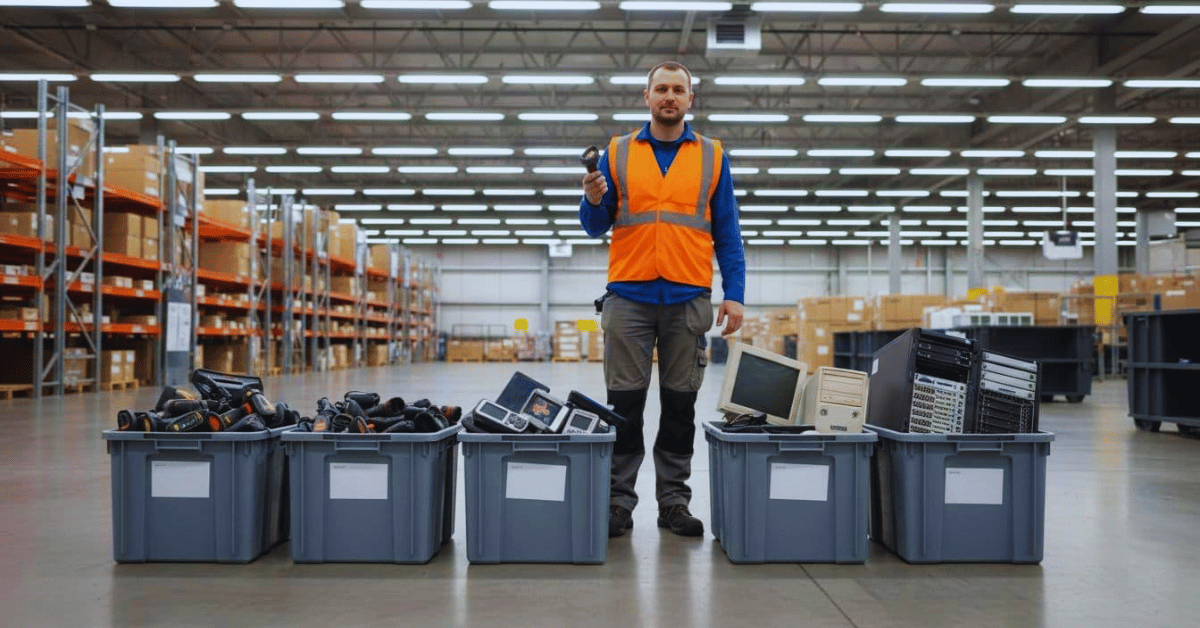
If you run a warehouse or manage a fleet, you’ve seen it. A locked cage with old scanners. A pallet of “maybe someday” desktops. A stack of tablets with cracked screens that nobody wants to touch.
This buildup is common because logistics upgrades happen in bursts. Peak season pushes emergency buys. Mergers leave you with mixed hardware. Damaged devices get pulled from the line and never make it to a final decision. Before long, obsolete tech becomes a space and security problem, not just clutter.
For teams dealing with logistics company e-waste Seattle sites and satellite yards, the goal is simple: clear space without risking customer data, driver records, or routing details. The good news is you can handle it with a practical bulk plan that fits real operations.
What is piling up in logistics warehouses, and why is it risky to ignore
Old electronics don’t sit quietly. They take up high-value space, create safety hazards, and can hold data long after the device “dies.” In addition, mixed piles make it hard to prove what you retired, when you retired it, and how you handled it.
Many sites also assume recycling equals safe disposal. It doesn’t. Without controls, you can lose track of assets, expose data, or mishandle batteries. If you want warehouse electronics recycling that holds up in an audit, treat it like a controlled process, not a cleanup day. For local guidance on approved options and responsible handling, see King County electronics recycling resources.
The usual suspects, scanners, GPS units, tablets, desktops, and aging servers
Most logistics warehouses collect the same categories of gear:
Handheld barcode scanners (including ring scanners) pile up after app changes, battery failures, or worn trigger buttons. Rugged mobile computers get replaced when OS support ends. Label printers often store jobs or settings, so they linger in “IT purgatory.” GPS trackers and ELD-related hardware come out during fleet swaps, then sit in bins.
On the dock and in the office, dispatch PCs, dock-door kiosks, monitors, VoIP phones, and tangled cables add bulk fast. Network gear also stacks up, think routers, switches, and modems from old carriers. Finally, there’s on-site server hardware, backup appliances, and drive arrays that stick around after cloud migrations or site consolidations.
The pattern is predictable: upgrades happen faster than disposal. Without an owner and a plan, the pile grows.
The hidden problem, hard drive and device data that can expose routes and customers
Even when a device won’t power on, the storage inside can still be readable. That’s the part many teams miss.
Logistics equipment can contain customer addresses, delivery history, route and stop data, shipment details, vendor pricing, driver logs, maintenance records, saved passwords, and Wi-Fi keys. Some devices also store tokens that help apps sign in. In other words, yesterday’s handheld scanner can be tomorrow’s breach.
Trucking and logistics teams also operate under expectations tied to DOT and FMCSA record protections, plus state privacy laws where you operate. Those rules may not spell out one exact destruction method, but they do push the same outcome: protect operational and safety records end to end. So, secure end-of-life handling belongs in risk management, right alongside access control and incident response.
If you can’t show where retired devices went and how data was removed, you’re relying on luck.
A simple bulk disposal plan that keeps operations moving and data protected
Bulk cleanouts fail when they’re treated like spring cleaning. They succeed when they run like a controlled outbound shipment. That means ownership, staging, chain-of-custody, and clear “data first” handling. This is also where fleet device disposal gets easier, because the same process works for warehouse IT and mobile gear.
Before pickup, sort, inventory, and stage devices so nothing gets missed
First, assign one owner. That person coordinates IT, ops, and security. Next, pick a date that avoids peak shipping windows, then map every storage spot where old tech hides (cages, mezzanines, under desks, and trailer offices).
As you stage items, separate them into two groups: data-bearing devices and non-data devices. Pull serial numbers where you can, even a partial inventory is better than none. If your process requires it, remove SIM cards from tablets or trackers and store them securely.
Batteries deserve extra care. Bag swollen lithium packs, keep them out of heat, and avoid tossing them into gaylords with metal scrap. Also, lock staged equipment in a cage. You want fewer hands, fewer surprises.
One more detail: older drives can fail during erasure. That’s normal. It’s also why your plan should include a fallback method, such as physical destruction, so you never get stuck with “can’t wipe, can’t ship” devices.
A quick way to keep sorting clean is to use a simple staging matrix:
| Category | Examples | Why it matters |
| Data-bearing | PCs, servers, tablets, phones, GPS units, printers with memory | Needs wipe or destruction before anything else |
| Non-data | Monitors, cables, docks, keyboards, empty battery chargers | Can move straight to recycling streams (after verification) |
The takeaway: organize first, then move fast.
During processing, secure data wiping or destruction comes first, then recycling or resale
A safe order of operations is simple: sanitize storage, then decide the device’s next step.
Data wiping overwrites the storage so the old information can’t be recovered. Degaussing uses a strong magnetic field on certain media types. Shredding physically destroys drives and devices. Which method you choose depends on the device, the sensitivity of the data, and whether you plan to reuse equipment.
If you need a respected baseline for sanitization decisions, refer to NIST SP 800-88 media sanitization guidance. You don’t need to memorize it. The value is having a standard to point to when customers, auditors, or leadership ask, “How do we know the data is gone?”
After data is handled, equipment can be evaluated for resale, parts recovery, or recycling. Responsible recycling also keeps hazardous materials out of landfills and recovers metals and plastics that still have value.
Afterward, get documentation that makes audits and customer questions easy
Ask for documentation that matches how your business operates, not a generic receipt.
At minimum, request an asset report (what was processed), chain-of-custody details (when it transferred hands), and Certificates of Data Destruction for data-bearing devices. If you’re retiring a full site, add a pickup manifest and container counts.
Here’s a common scenario: a shipper asks how driver tablets were retired after a contract ends. If you can send a certificate and an asset list in one email, the conversation ends quickly. Without it, you’ll burn hours hunting down records, and your answer may still feel shaky.
How Living Green Technology helps Seattle area logistics sites clear space fast and prove data is gone
Business pickups for warehouses in Seattle, Bellevue, and Tacoma
Living Green Technology supports logistics and transportation organizations that need secure, high-volume electronics removal. The flow is straightforward: you schedule a free business pickup, their team collects bulk electronics from your facility, then transports everything to their Auburn headquarters for handling.
This approach fits warehousing and distribution centers, freight carriers, and shipping providers because it assumes real-world volume. It also reduces the risk that devices get split across multiple drop-offs or left to “figure out later.” To learn more about the organization and services, visit Living Green Technology in Seattle.
Security first recycling, data destruction plus clear reporting
Their model puts security ahead of environmental outcomes. Devices that can hold data get sanitized or destroyed first. Only then are items considered for resale, parts recovery, or recycling. When reuse is not the right fit, materials move through certified downstream partners, including R2-certified partners, to support responsible recovery.
For logistics teams, the practical win is proof. You can request asset reporting and data destruction documentation, so you’re not guessing what happened after the truck left your dock.
Conclusion
Obsolete scanners, tablets, PCs, and server gear don’t just waste space. They can create safety issues and expose customer and routing data. The fix isn’t complicated, but it does require a bulk plan with staging, chain-of-custody, and a data-first process, followed by clear documentation.
If you manage a logistics facility in the Seattle, Bellevue, or Tacoma area, contact Living Green Technology to schedule a bulk electronics pickup and request a compliance-driven destruction plan with data wiping documentation: Schedule a secure business pickup.