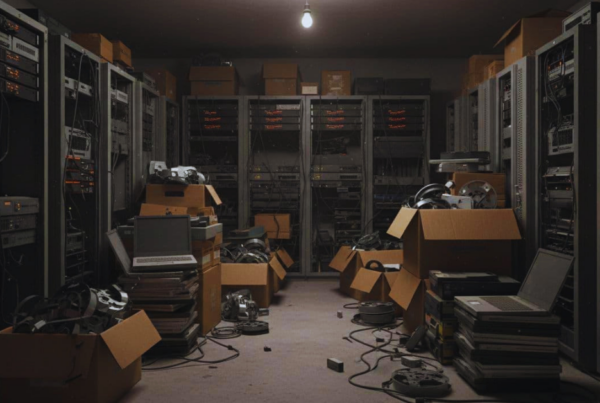

A retired desktop ends up under someone’s desk. A stack of old laptops lands in a closet “until IT has time.” A server drive fails mid-week and gets tossed into a drawer for later. That’s normal office life.
Still, attorney-client confidentiality doesn’t stop at login screens and locked file rooms. It follows client data all the way to end-of-life equipment. In other words, how you dispose of devices matters just as much as how you store them.
Washington lawyers often look to Washington State Bar Association practice guidance for file handling. That guidance stresses secure handling and secure destruction as part of protecting confidentiality, even if it doesn’t spell out every IT disposal step. This post explains what “secure” should mean in a modern law office, when wiping isn’t enough, how physical destruction works, what R2-certified recycling adds, and why keeping a certificate of destruction is smart risk control. You’ll also see why it’s worth requesting a certificate of destruction from Living Green Technology and keeping it with your retention records.
Why e-waste is a legal risk, not just an IT chore
Old devices don’t feel like active matters. They’re quiet, dusty, and out of sight. However, they’re still a container for client information. That turns e-waste into a duty-of-care issue, not a back-burner tech task.
Law offices have real-world friction that makes disposal risky:
Office moves create “temporary” piles of equipment that never get processed. Staff turnover leaves devices with unknown histories. Shared workstations get reassigned quickly. Vendors handle upgrades and may haul away equipment. Even a planned practice closure can trigger a rush to empty storage.
None of that is scandalous. It’s normal. The problem is that a normal workflow can still produce an avoidable confidentiality failure if a drive walks out without controls.
If you want a helpful industry framing, this overview on secure data destruction for law firms explains why legal organizations face unique end-of-life risks compared to many other businesses. The key takeaway for office managers and legal IT is simple: disposal is part of information security, even when the device is “dead.”
Confidentiality follows the data, even at end of life
Client data tends to stick around. A matter may be closed, but the digital traces can linger for years. Think of exported case files, scanned exhibits, drafts, email attachments, and saved searches. Even if your practice management system is cloud-based, local copies often exist.
Professional responsibility expectations generally center on “reasonable steps” to prevent unauthorized access. That expectation doesn’t only apply to daily use. It also applies during storage, transfer, and destruction.
WSBA practice management resources on retention and destruction push a few themes that translate well to e-waste handling: create a written policy, communicate retention expectations, and keep a lasting index of what you destroyed and when. Their document retention guide is a good starting point for the file side of the equation, including best practices around destruction and recordkeeping. See the WSBA’s law firm document retention guide (PDF) for practical context you can adapt to digital media disposal.
One practical habit helps in audits and client questions: keep a simple index that ties (1) the device or drive, (2) the destruction date, and (3) the proof document. Treat it like the e-waste version of a destroyed-file log.
The hidden places client data lives inside devices
A hard drive isn’t a neat filing cabinet. It’s more like a house with closets you forget about. Files hide in obvious places, but also in corners no one checks.
Here are common examples that show up in law offices:
- Email archives (PST/OST files), cached attachments, and offline mail.
- Downloads and desktop folders full of “temporary” exhibits and PDFs.
- Sync tools that store offline copies of cloud folders.
- Browser autofill and saved passwords, plus cached pages and PDF viewers.
- VoIP and softphone logs, call recordings, and voicemail caches.
- Print spoolers that retain a queue of sensitive print jobs.
- Copier and scanner hard drives that store images and job histories.
- USB drives and external backups used for court, travel, or quick transfers.
Failed drives and older machines raise the stakes. When a device won’t boot, a standard wipe tool may not run. When the drive is an SSD, some older overwrite approaches don’t work the way people assume. As a result, donation or “recycling later” without controls can create a confidentiality problem you never see coming.
If your office can’t prove a drive was wiped or destroyed, you’re relying on hope, not process.
Wiping vs destruction: what actually protects a law firm
People often ask, “Can’t we just wipe it?” Sometimes you can. Sometimes you shouldn’t. A clean decision rule keeps this from turning into an endless debate between operations and IT.
As a working framework:
- Choose certified wiping when you plan to reuse or redeploy equipment and the drive is healthy.
- Choose physical destruction as the default when you’re disposing of drives that held sensitive client information, when a drive is failed, or when you need simple, defensible proof.
To make this easier for non-technical teams, use a quick comparison:
| Situation | Safer default | Why it helps |
| Reuse within the firm | Certified wipe with documented results | Preserves the device while reducing exposure |
| Return equipment at lease end | Physical destruction (or verified wipe that meets the lessor’s terms) | Lowers risk during vendor handling and transport |
| Disposal or recycling | Physical destruction | Eliminates most recovery risk and simplifies proof |
| Failed drive or won’t boot | Physical destruction | Wiping may be impossible or incomplete |
| SSDs and mixed media | Physical destruction or verified purge method | Overwrite assumptions can fail on SSDs |
This is where “law firm hard drive destruction Seattle” searches usually come from. Firms want a defensible, local option that matches how legal risk works: document it, limit handling, and keep proof.
For a practical look at what hard drive destruction services often include, you can compare approaches used by providers like Proshred Seattle’s hard drive destruction overview and decide what documentation and custody controls you’d require from any vendor.
DoD-style wiping sounds strong, but it has limits on modern drives
Many offices still mention “DoD wiping” because it sounds thorough. Historically, DoD 5220.22-M referenced multiple overwrite passes with verification. That idea made sense when magnetic drives were simpler and storage behavior was more predictable.
Today, the bigger point isn’t the number of passes. It’s whether your method fits the media and produces audit-friendly evidence. Modern guidance commonly points organizations toward NIST-style approaches for sanitization (clear, purge, destroy) that account for current drive types and encryption options.
Operationally, this matters because “factory reset,” “quick format,” and “delete files” don’t equal sanitization. If your policy allows wiping for reuse, require:
A real sanitization tool, not a built-in reset. Verification logs tied to the device. A clear owner who signs off before the device leaves secure storage.
Otherwise, you’ll have a gap between what you meant to do and what you can prove later.
Physical hard drive destruction is the cleanest answer for disposal
When the plan is disposal, physical destruction is usually the simplest, strongest option for law firms. It replaces complex “did we wipe it correctly?” questions with a clear result: the media no longer functions.
Common destruction methods include:
Shredding (drives or media shredded into small pieces), crushing (physically deforming platters or chips), and degaussing (useful for traditional HDDs, not a universal solution for SSDs). The best method depends on the media type and your documentation needs, but the legal outcome you want is the same: reduce the chance of recovery to near zero.
From a risk lens, physical destruction also solves the “dead drive” problem. A drive that won’t power on can still hold readable data. Destruction doesn’t care if it boots.
Transport is another weak spot. If you can do on-site destruction, you cut down the custody window. If you do off-site, chain-of-custody documentation matters more, not less.
What a defensible destruction program looks like in a real law office
Most firms don’t need a complicated program. They need a repeatable one. The goal is to make the secure option the easy option, even during busy weeks.
Start with a simple internal policy that answers three questions:
Who decides when equipment is ready for disposal? Where does it sit while waiting? What proof do we keep after it’s gone?
Then build a workflow your staff will actually follow. A good program fits into existing roles. Office managers manage inventory and schedules. IT handles technical checks and tagging. A managing attorney or administrator sets the policy and signs off on exceptions.
Build a simple chain of custody that staff can follow
Chain of custody sounds like courtroom language, but here it’s just a clear paper trail. Keep it lightweight, but consistent.
A workable flow for a small or mid-size firm looks like this:
First, inventory and tag devices headed to surplus. Record the device type, asset tag, and drive serial number when possible. Next, remove drives from laptops and desktops when policy requires destruction, then place them in a locked container. After that, limit access to a small set of staff and log check-in and check-out events. Finally, schedule pickup or on-site service and document the date, handler, and method.
If your firm already keeps a retention index for closed files, store e-waste records right next to it. That way, if a client asks years later how you protected their information, you don’t scramble through old emails.
In the Seattle area, firms often compare vendors by convenience and claims. Don’t stop there. Ask what they record and what they return to you afterward. For example, providers advertising hard drive destruction in Seattle may describe service options, but your internal checklist should still require identifiers, method, date, and custody details.
The certificate of destruction is your proof, not a nice-to-have
A certificate of destruction (CoD) is more than a receipt. It’s the document that shows you acted reasonably and you can prove it later. Insurers, clients, and regulators tend to care about documentation, not intentions.
A strong certificate typically includes:
The date of destruction, the method (wipe, shred, crush, etc.), device or drive identifiers (serial numbers or asset tags), the location (on-site vs facility), and the vendor’s identifying details. Some firms also keep the corresponding chain-of-custody log and pickup manifest, since those documents show who handled the media at each handoff.
This is also where the primary next step belongs: request a certificate of destruction from Living Green Technology and file it with your retention and IT disposal records. If you ever need to answer, “What happened to the drives that held client data?” you’ll have a clean, dated answer.
Recycle responsibly without creating a new liability
Throwing electronics in the trash is a bad look and often non-compliant. Still, recycling without data controls can be just as risky. The right approach is both: destroy the data first (or as part of the recycling process), then recycle through a responsible downstream partner.
This matters for reputation, too. Clients ask more questions about sustainability than they used to. Some corporate legal departments now expect vendors to describe how they handle end-of-life equipment. A firm that can explain its approach calmly and document it comes across as organized and trustworthy.
The “legal data disposal Bellevue” question comes up often for firms with Eastside offices, satellite locations, or storage units. Convenience matters, but only after you confirm the program includes secure media handling and real documentation. If you’re evaluating local options, services that coordinate destruction and pickups, like Bellevue hard drive destruction listings, can help you understand what’s available in the area and what questions to ask before you schedule anything.
Why R2-certified recycling partners matter for attorneys
R2 (Responsible Recycling) is a standard used in electronics recycling to drive better controls, tracking, and environmental handling. In plain terms, it pushes recyclers to document where materials go, manage hazardous parts safely, and reduce the odds that equipment disappears into questionable downstream channels.
For law firms, the practical benefit is fewer surprises. Better tracking aligns with your need to document custody. Stronger process controls also support a clearer story if a client asks how your firm handles retired devices.
When you vet partners, confirm their current certification status and ask whether they provide secure media destruction with identifiers and certificates. Also ask who their downstream partners are, because your risk doesn’t stop at the first handoff.
If you want to see how other providers describe secure recycling and documentation expectations for professional services, compare examples like electronics recycling for attorneys and note the repeated themes: custody controls, verifiable destruction, and clear paperwork.
Conclusion
That old laptop closet isn’t just clutter. It’s a quiet confidentiality risk that grows over time. The simplest way to lower that risk is a repeatable process: decide when wiping is allowed, default to verified destruction for disposal, and recycle through a responsible partner. Above all, keep proof.
Pick one day this month to inventory stored devices, tag what needs disposal, and schedule secure destruction. Then request a certificate of destruction from Living Green Technology and file it with your retention records. Your future self, and your clients, will thank you.