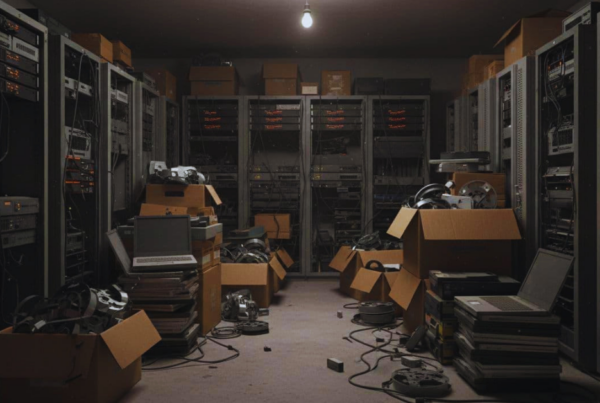


In March 2026, sustainability claims in the Pacific Northwest get checked fast. Customers ask for proof, employees notice what gets tossed, and regulators expect records that match the marketing.
E-waste is the pile of old tech we all recognize, retired laptops, monitors, phones, network gear, and even batteries. Green IT keeps the promise simple: buy smarter, use devices longer, then reuse or recycle them safely when they’re done.
Washington’s E-Cycle program collected about 12.69 million pounds in 2025. Total pounds are trending down, but a big reason is lighter devices, not a solved problem.
This post shows how to track e-waste as a KPI, what common certifications expect, how to keep assets moving through reuse and recycling, why an R2-certified process matters, and how to document results for ESG reporting. If you want a program you can defend in an audit, partnering with Living Green Technology can help you set up the process and the paperwork.
Make e-waste a number you can manage, not a messy closet problem
E-waste gets messy when it lives in back rooms, desk drawers, and half-labeled pallets. The fix is simple: treat old tech like any other sustainability KPI. Track it monthly, review it with ops, then act on what the numbers say.
Think of your e-waste program like a pantry, not a junk drawer. When you can see what you have, you waste less, reuse more, and you can prove it later.
Pick KPIs your team can track every month
Start with a small scoreboard your team can update in minutes. If it takes hours, people stop doing it. These KPIs work well for PNW companies because they match how IT and sustainability teams already think: volume, reuse, diversion, and proof.
Here’s a practical set, with plain-language definitions:
- Total pounds collected: The total weight of equipment you moved out of service during the month (from offices, storage, and data centers).
- Pounds per employee: Total pounds collected divided by headcount, so you can compare across sites and months.
- Percent reused vs recycled: The share that stays in service (redeploy or refurbish) compared to what you send to recycling.
- Percent diverted from landfill: The portion kept out of landfill through verified reuse and recycling (based on vendor reporting).
- Number of devices redeployed internally: How many assets you put back to work inside the company (for example, laptops reassigned to new hires).
- Percent of assets with verified data wipe: The share with documented data sanitization (certificates, logs, or chain-of-custody records).
Local benchmarking helps keep goals realistic. Washington’s E-Cycle per-person collection rate was about 1.56 pounds per person in 2025, and Western Washington often runs higher. Use that as a gut-check, not a grade.
Still, don’t let weight be your only north star. Devices keep getting lighter, so pounds can drop even when waste stays flat.
Good KPI sets mix weight with counts and reuse rate, so you see both volume and behavior.
To balance the picture, add two simple companions to your monthly report: device counts by type (laptops, monitors, phones) and reuse rate (how much stayed useful). Over time, you will spot patterns fast, like a sudden spike in monitors after an office change, or low redeploy numbers after a refresh.
Find your biggest sources of e-waste by mapping your device lifecycle
Most “surprise” e-waste comes from predictable moments. When you map your device lifecycle, you stop reacting and start planning. Keep the map simple so it fits on one page:
- Buy: Purchase or lease assets.
- Deploy: Assign devices to people, teams, or racks.
- Maintain: Repair, patch, upgrade, replace parts.
- Refresh: Retire or replace equipment on a schedule.
- Store: Hold devices for redeploy, resale, or pickup.
- Dispose: Reuse, recycle, or process as data-bearing scrap.
Next, look for the hotspots that create piles:
- Refresh cycles that are too short: If laptops rotate early “just because,” reuse drops and waste rises. Extend cycles when performance and security allow.
- Untracked storage rooms: The classic closet problem, devices lose labels, value, and chain-of-custody.
- Mergers, office moves, and remodels: These events create sudden waves of gear, often with weak records.
Once you see where waste forms, build an asset list that matches how your company actually uses tech. Include laptops, monitors, servers, phones, networking gear, and peripherals (keyboards, docks, headsets, cables). Then tag each item with a simple status so anyone can sort it without guessing:
- Reuse ready: Works, complete, and can be redeployed now.
- Needs repair: Worth fixing (battery, screen, port, fan).
- Recycle: End-of-life, damaged, or not cost-effective to repair.
- Data risk: Storage present or uncertain history, treat as sensitive until wiped.
This labeling step is where KPI tracking becomes real. It turns “a pile of stuff” into a monthly flow you can measure, improve, and explain to leadership without hand-waving.
What Green IT certifications and standards usually expect from your e-waste program
Certifications and standards are not just badges for a website footer. They push you toward repeatable habits: clear rules, trained people, audits, and records that hold up when someone asks, “Prove it.”
For most PNW companies, the expectations feel similar across programs, even when the names differ. If you can show control over your IT lifecycle (from purchase to retirement), and you can back it with documentation, you’re already most of the way there.
The core requirements, written in plain English
Most Green IT and environmental management programs expect an e-waste program that runs like a routine, not a once-a-year cleanup. That starts with a written policy that explains how you buy, use, store, reuse, and recycle IT assets. Keep it readable, because people have to follow it.
From there, auditors usually look for clear ownership. Someone in IT typically owns asset tracking and data sanitization, while facilities or operations may handle storage areas and pickups. What matters is that responsibilities are named, not assumed, and that handoffs are documented.
Training also shows up again and again. It does not need to be fancy. It does need to be consistent, especially for anyone who touches retired gear. A short training should cover:
- How to label and segregate devices (reuse-ready, needs repair, recycle, data risk).
- How to handle batteries and hazardous parts safely (lithium packs, swollen batteries, cracked screens, ink and toner).
- What not to do, like tossing devices in open bins or leaving them in unlocked closets.
Vendor controls are another common requirement, because your recycler becomes part of your risk profile. Expect to show vendor due diligence such as certifications, insurance, downstream controls, and how they manage data-bearing devices. In addition, standards tend to want a documented chain of custody, so you can show where assets went and when. Think manifests, pickup logs, serial lists, and data wipe or destruction records that match the shipment.
Finally, nearly all programs expect continuous improvement. That can be as simple as reviewing your e-waste KPIs quarterly, then making one process change based on what you see.
If you can’t explain your e-waste process in a one-page flow, you probably can’t defend it in an audit.
Purchasing also matters, because buying decisions create tomorrow’s waste. Many standards like to see guidelines that reduce future disposal risk, for example choosing EPEAT-registered devices and ENERGY STAR options when feasible, plus standardizing models so repairs and parts swaps are realistic.
Quick wins that support compliance and reduce cost
You don’t need a big budget to make a certification-friendly program. Most quick wins come from reducing the number of devices you retire, and tightening the controls around the ones you do retire.
Start with refresh cycles. If your security and performance needs allow it, extending laptop and desktop lifetimes by even a few quarters cuts purchasing spend and reduces disposal volume. It also makes your reuse numbers look more honest, because you are not creating avoidable turnover.
Next, standardize repair decisions so teams don’t guess. A simple rule set helps, like replacing batteries, fans, SSDs, and screens when the cost is below a fixed threshold. Pair that with a small parts stock for common models, and you will save devices that would otherwise become scrap.
Power management is another easy win that supports Green IT goals. Enable sleep settings, monitor power-down, and server power policies. While this is not e-waste disposal, it reduces heat and wear, which can extend hardware life and delay retirement.
Hardware demand drops further when you reduce the physical footprint. Many PNW IT teams can virtualize or consolidate servers and storage, then retire older gear earlier with better planning, not panic. The outcome is fewer emergency purchases and cleaner end-of-life processing.
The fastest operational fix is the one that kills the closet problem. Create a clear no closet storage rule, then enforce it with quarterly collections. Set a calendar invite, assign an owner, and require labels before anything leaves a site. When people know pickups are routine, they stop hiding gear “until later.”
These changes pay off in three ways:
- Less spend because you buy fewer replacements and recover more value through reuse.
- Less risk because you reduce data exposure and unsafe storage of batteries.
- Better reporting because your chain of custody and KPIs come from a consistent process, not a scramble.
Keep devices in the reuse and recycle loop, and handle data the right way
In the Pacific Northwest, people expect proof that your “responsible disposal” claims match your actual process. That means two things stay linked: keeping devices in use as long as possible, and moving retired gear out of closets quickly because you can secure the data.
If you operate in Seattle, Bellevue, or across the I-5 corridor, this is also a practical issue. Storage rooms fill up fast, batteries age poorly, and inventory gets fuzzy. A simple playbook fixes it: reuse first, then recycle, with data controls that remove fear and delay.
Start with reuse, because the greenest device is the one you do not replace
Reuse is where Green IT turns into real savings. Every laptop you redeploy is one you don’t buy, don’t ship, and don’t retire early. It also improves your e-waste KPIs because you reduce both volume and churn.
Start by setting clear reuse paths your team can follow without guesswork:
- Redeploy internally: Move working devices to teams with lighter needs (training rooms, shared stations, field kits).
- Refresh for new hires: Standardize a “new-hire ready” spec (battery health, OS version, RAM, storage), then rebuild and reissue.
- Repair: Fix the common failures (batteries, screens, keyboards, ports, fans). Small parts often save a device from the scrap pile.
- Donate or resell through approved channels: Use pre-approved partners, and only after verified data sanitization. Keep paperwork tight so ESG reporting stays clean.
Repairs get easier in 2026. Right-to-repair rules starting in 2026 support access to parts, tools, and documentation for many common devices. As a result, “needs repair” becomes a real category again, not a dead end.
To keep decisions consistent, use a simple triage flow. Put it on a wall near your IT cage:
- If it works and you can secure it, reuse it (redeploy, reissue, or donate through approved channels after wiping).
- If it works but feels outdated, refurbish and resell (recover value, then fund more reuse work).
- If it’s broken, recycle it (move fast, don’t store it “just in case”).
Treat retired gear like produce, not pantry items. The longer it sits, the more value and control you lose.
One more practical tip: set a monthly “reuse review” meeting. Thirty minutes is enough to approve repairs, assign redeployments, and schedule outbound shipments.
Do not let data security be the reason e-waste sits in storage
Most e-waste stockpiles don’t come from laziness. They come from fear. Someone worries a drive still holds customer data, employee info, or internal IP, so the gear stays locked up “until we figure it out.” Months pass, and the pile becomes a risk of its own.
The fix is picking a data-handling approach you can prove, then running it the same way every time. When you evaluate a recycler or ITAD partner, look for three non-negotiables:
- Documented data sanitization or physical destruction: You should be able to choose wipe, shred, or degauss based on device type and policy.
- Proof of completion: Get certificates or logs that show method used, date, and who performed it.
- Serial numbers that match the paperwork: Your asset list must line up with certificates and shipment records, or the proof won’t hold up later.
A strong program also prevents “mystery time” in storage. In Seattle and Bellevue offices, that usually means shared spaces and lots of hands touching gear, so controls matter:
- Set clear hold times (for example, no device sits longer than a defined number of days before wipe or pickup).
- Use locked storage with labeled zones (reuse-ready, data-risk, recycle-only).
- Keep chain-of-custody records from pickup to final processing, including who released the assets and who received them.
When data controls are clear, you can move equipment quickly. That keeps devices circulating, reduces storage risk, and makes your reporting easier when customers ask, “Where did it go, and how do you know?”
Why an R2-certified recycler matters, and how to build a documented program with Living Green Technology
If you’re in Seattle, Bellevue, or anywhere in the PNW, e-waste is not just an IT chore. It’s a risk and reporting issue, because customers and auditors want receipts, not promises. The recycler you choose becomes part of your brand story, for better or worse.
That’s why R2 certification matters. It sets a high bar for how equipment gets handled, tracked, and processed. Just as important, it helps you build a program you can explain in plain language, with documents that match the claim.
A partner like Living Green Technology can help you turn “we recycle responsibly” into a documented routine, with pickup cadence, chain of custody, and reporting that fits your ESG goals.
What “R2-certified process” means for your business outcomes
An R2-certified process means your retired devices follow a controlled path from pickup to final outcome. In other words, you don’t hand a pallet of laptops to a random hauler and hope for the best. You get a tracked, repeatable process that reduces surprises.
First, you get chain-of-custody tracking. Assets move through logged handoffs, so you can show who had the equipment and when. That matters when you need to answer simple questions fast, like “Where did those drives go?” or “Did anything leave the building without approval?”
Next, R2 requires audited processes. Audits aren’t just paperwork. They push the recycler to follow written steps for sorting, storage, and shipping. As a result, your program depends less on individual habits and more on consistent rules.
R2 also raises the bar on safe handling, especially for problem items. Think lithium batteries, swollen packs, and damaged screens. When those parts sit in a closet, the risk grows. With a stronger process, you reduce safety issues and keep your workplace cleaner.
Reuse also gets real attention. A responsible program prioritizes reuse before recycling when it makes sense (for example, redeploy, refurbish, or resell). That approach cuts waste and can recover value, without compromising security.
Finally, you get verified data protection. That means documented wiping or physical destruction, tied back to the assets you shipped. Informal disposal often fails right here, because “trust us” does not pass a customer review or an audit.
If your recycler can’t prove where devices went, you own the risk anyway. R2 helps close that gap with tracking, audits, and data controls.
For PNW organizations, the outcome is simple: lower reputational risk, lower compliance risk, and stronger sustainability claims. Living Green Technology can help you set the rules, run the pickups, and keep the evidence organized.
The documentation you need for ESG, audits, and customer questions
Most e-waste metrics are voluntary. That’s the tricky part. You can report almost anything, but only clear documentation makes the story believable. When a customer, regulator, or procurement team asks for proof, you want a folder that answers them in minutes.
Use this checklist as your baseline set of proof points:
- Pickup logs that show date, location, and who released the equipment.
- Weight tickets and device counts (by type), so your KPIs include both pounds and units.
- Asset lists when available (serials or internal tags) tied to each shipment.
- Downstream vendor documentation that shows where materials went after processing.
- Data wipe or destruction certificates matched to shipment details (and serials when possible).
- Diversion rates (how much stayed out of landfill), based on vendor reporting.
- Reuse vs recycle breakdown so you can show what stayed in service versus what became commodity material.
- Exception notes for anything unusual (damaged batteries, unknown devices, missing labels), plus how you handled it.
To keep this from turning into a spreadsheet graveyard, use a simple reporting structure:
- Quarterly dashboard: counts, pounds, reuse rate, diversion rate, percent with verified wipe, and any exceptions.
- Annual narrative: a one-page summary tied to goals, plus what changed since last year.
Here’s a short, paste-ready ESG summary you can adapt:
- E-waste management (year): We collected retired IT equipment through an R2-certified recycling process with documented chain of custody. We tracked total weight and device counts by category, recorded reuse versus recycling outcomes, and maintained data wipe or destruction certificates for data-bearing assets. We review results quarterly, investigate exceptions, and set annual targets to increase reuse and improve documentation coverage.
If you want this to run smoothly, don’t build it alone. Living Green Technology can help set up the documented program, align pickup and reporting with your KPIs, and provide the records you’ll need when the questions come.
Conclusion
Treat e-waste like a monthly KPI, track a small set of numbers, and keep them visible. Next, align your process to common certification expectations, so your policy, training, and records hold up. Then prioritize reuse first, because it cuts buying, waste, and churn.
Just as important, lock down data with verified wiping or destruction, so gear moves fast instead of sitting in closets. If you’re a Pacific Northwest company, including Green IT Seattle teams, partner with Living Green Technology to set up a documented program with scheduled collections and reporting that supports corporate e-waste sustainability Pacific Northwest goals and responsible tech disposal Bellevue needs.