

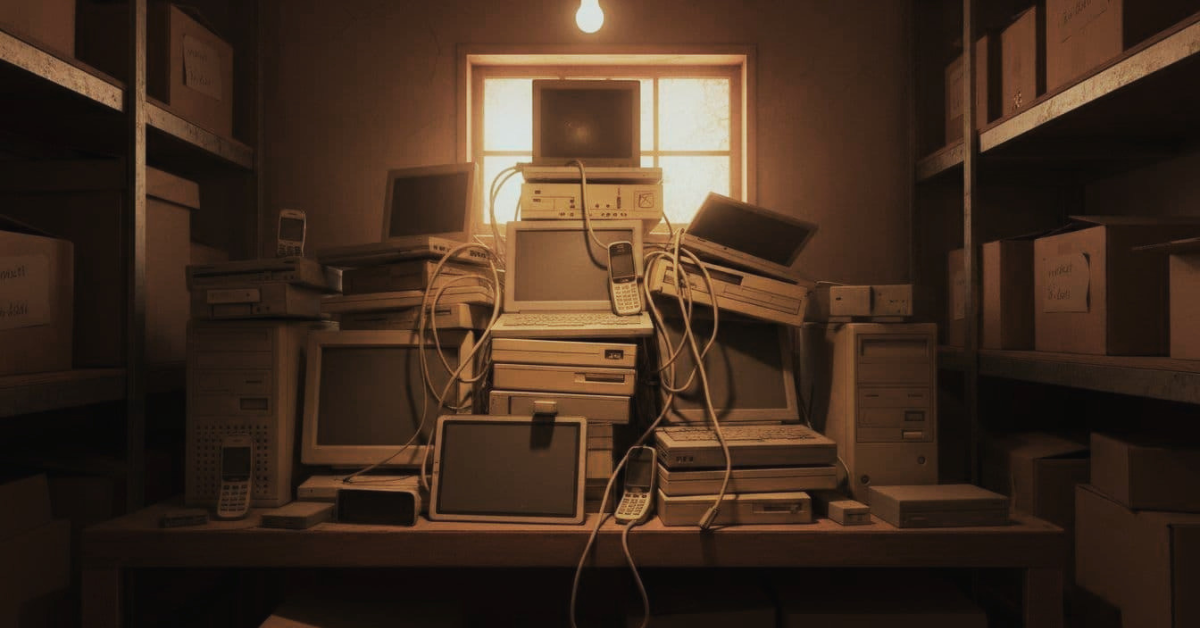
A church replaces an office laptop, a volunteer swaps the sound booth computer, or a staff phone gets upgraded. Then the old device gets set aside “for later” and ends up in a closet. It feels harmless, like storing a box of old bulletins.
But churches don’t just store schedules and sermon notes. Many hold deeply personal information about members, families, and giving. That’s why “delete” isn’t the same as “gone.” On many devices, data can linger after a quick wipe, a factory reset, or a basic recycle drop.
The good news is you don’t need a huge IT department to fix this. You need a simple, repeatable disposal plan that protects people, lowers risk, and matches stewardship values.
What sensitive information might still be sitting on your church’s old devices
Old tech often carries more than you remember. A laptop used for worship slides may also have saved logins. A copier might store scanned documents. Even an AV booth computer can hold synced email, cloud folders, or shared drive access.
This matters even before disposal. Older systems often stop receiving security updates. As a result, they’re easier to compromise while they sit unused. If that retired PC still connects to Wi-Fi or has remote access installed, it can become a weak link.
Think bigger than just desktops. Churches commonly rotate through laptops, tablets, phones, external hard drives, USB drives, and network gear. Many also use printers or copiers with internal storage. Some sound and livestream setups use dedicated computers that run year after year.
A good rule is simple: if the device ever touched church work, treat it like a locked file cabinet. Religious organization data disposal is really about closing every drawer, not just the one you see.
For a practical church-focused view of cyber and privacy risks, it can help to skim the PC(USA) guidance on cybersecurity issues for councils.
Member, donor, and care ministry details that need extra protection
Here are common examples of what churches often store (sometimes without realizing it):
- Membership rolls and directories: names, addresses, birthdays, family links
- Giving and pledge records: contribution history, receipts, payment confirmations
- Financial snapshots: banking details in PDFs, screenshots, or exported reports
- Care ministry notes: counseling notes, prayer requests, crisis follow-up details
- Small group and volunteer rosters: contact lists, attendance notes, schedules
- Kids and youth information: photos, medical notes, check-in lists, permissions
- Email accounts: staff inboxes, shared mailboxes, saved attachments
Even “basic” contact data can be misused. Donor data can attract fraud attempts, especially when scammers can personalize messages.
Hidden data most teams forget about when upgrading
Some of the riskiest data is hidden in plain sight. Saved browser passwords, autofill entries, and cloud sync folders can expose far more than a few files. A “Downloads” folder might include bank statements, background check PDFs, or export files from giving software.
Also, factory resets don’t always solve the problem. Resets can fail, get skipped, or leave recoverable data behind if the drive wasn’t properly overwritten. Simple delete and quick format usually remove pointers to files, not the data itself.
Other easy-to-miss spots include email archives, old backups, and drives pulled from “dead” computers and placed in a drawer. Remote access tools can linger too, which means a future user might inherit a back door into church accounts.
The real risks of tossing e-waste the wrong way (and why trust is hard to rebuild)
When a device leaves your control, the impact is personal first. A leak can lead to identity theft, targeted scams, or financial fraud. It can also cause embarrassment, fear, and real harm for people who need extra privacy, like survivors of abuse or families in crisis.
Churches have seen this up close. Recent reporting and investigations show religious organizations can face serious incidents, from account takeovers and fraud to breaches involving sensitive personal data. For example, one widely discussed case involved a church discovering its bank funds had been drained, which created immediate operational stress and confusion. (See the report on an Oklahoma church bank account hack.)
Separately, public breach notices and investigations have described incidents where attackers accessed extensive personal details, not just names and emails. When information like IDs, health-related details, or account data gets exposed, the clean-up lasts months.
Poor disposal can add another layer. Theft can happen from devices that were “wiped” the fast way. And when donors or members ask, “Was the data destroyed?”, you need more than a verbal promise.
For churches and admins around Puget Sound, church electronics recycling Seattle should include both responsible recycling and documented data destruction, not just getting rid of clutter.
If you can’t show how a device was sanitized or destroyed, plan as if it wasn’t.
Why “we’re small” is not a safety plan
Small churches still hold high-value information. Criminals don’t need to target you personally. Many attacks are automated. Stolen contact lists and credentials also get resold, which means a single retired laptop can create years of problems.
Even one misplaced office PC can contain a long trail: exported CSVs, donor receipts, saved passwords, and old emails. Size doesn’t reduce the duty of care your people expect.
Environmental harm is part of the risk too
Privacy and stewardship belong together. Electronics can contain hazardous materials, so dumping them in the wrong place risks community health. Responsible recycling also recovers valuable materials, which reduces mining and waste.
In other words, protecting member data and protecting your neighbors are part of the same choice. Faith communities can model both.
A simple disposal plan your church can follow this month
A disposal plan shouldn’t live in someone’s head. It should be written down, easy to repeat, and simple enough for volunteers. If you serve across the Eastside, you can treat faith community e-waste Bellevue as a calendar item, not a crisis.
 Start with two decisions: what you must keep, and what you must destroy. Some finance and giving records may need multi-year retention. Requirements vary by situation and system, so keep it general and document your internal policy. Then, separate “keep for records” from “retire now.”
Step 1: Make an inventory and pick an owner for the process
Don’t begin by hauling boxes. Begin by writing down what you have. Track:
- device type and serial number
- where it’s stored and who used it
- what data might be on it
- final outcome (reused, donated, recycled, destroyed)
Next, assign one owner to approve disposal. That person doesn’t need to do all the work, but they should control decisions. Finally, set a schedule, like quarterly or twice a year, so devices don’t pile up.
Step 2: Choose secure wiping or physical destruction, then keep proof
Use secure wiping (overwriting) for devices you will reuse, resell, or donate. Use physical destruction for failed drives, damaged devices, or systems used for high-sensitivity work. Either way, keep a simple log.
Documentation matters. Ask for a certificate or signed record from your provider that matches your inventory list. Also, avoid casual giveaways unless you can verify data destruction. A “free laptop” isn’t a gift if it carries someone’s private history.
Step 3: Use a free, responsible drop-off option that fits your schedule
Once devices are inventoried and prepared, use a recycler that treats data destruction as part of the job, not an add-on. A free drop-off program helps because it removes cost barriers and reduces the time devices sit in storage.
The simplest next step is practical: bring your congregation’s old devices to Living Green Technology for secure, responsible recycling. Details for churches and faith-based groups are here: Secure data destruction and e-waste recycling for religious organizations.
Before you load up a car, confirm what items they accept. Some recyclers limit certain categories (for example, TVs), and it’s easier to sort at the church than at the door.
Conclusion
A disposal plan turns a messy closet into a clear process. You’ll cut clutter, lower privacy risk, and build confidence with members and donors. You’ll also keep harmful materials out of landfills, which fits the stewardship values you teach every week.
Pick a date this month. Gather devices, make an inventory, and decide on wiping or destruction. Then use a secure recycler who provides documentation. When you’re ready, bring your congregation’s old devices to Living Green Technology for secure, responsible recycling and close the loop with care.