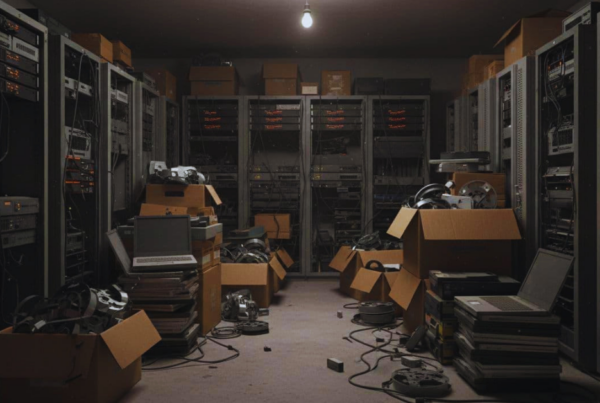


One-to-one programs are great for learning, but they also leave schools with stacks of aging Chromebooks, laptops, and tablets every year. The problem is simple, even “retired” devices can still hold student names, IDs, saved files, browsing data, and stored logins.
If those devices get sold, donated, trashed, or recycled without the right controls, you can end up with a FERPA exposure that’s hard to undo. In this post, you’ll get a clear look at what FERPA expects, what student data tends to live on school devices, and how to build a repeatable end-of-life program that covers secure collection, verified student data destruction, documentation, and responsible recycling that keeps equipment out of landfills.
Why FERPA turns device disposal into a compliance issue, not just an IT chore
FERPA is not just a rule about report cards and transcripts. At a simple level, it protects education records and the personally identifiable information (PII) tied to them. That duty does not end when a device gets retired. If a Chromebook, laptop, or tablet can still reveal a student’s identity or school activity, your district still owns the risk.
What makes device disposal different from day-to-day IT work is proof. Saying “we wiped it” often falls apart the moment someone asks for details. Who handled the devices, where were they stored, what method was used, and how do you know the data is gone? Many school end-of-life programs fail here, not because staff do not care, but because the process is informal and paperwork gets skipped.
For media sanitization, many organizations point to NIST SP 800-88 Rev. 1 as the practical playbook. It helps you match the right wipe or destruction method to the type of device and the sensitivity of the data. Just as important, it supports documentation, so you can show you followed a repeatable process.
The stakes are real. A single disposal mistake can trigger investigations, legal costs, angry families, and weeks of disruption for IT and administration. Trust is harder to rebuild than a laptop fleet.
Treat retired devices like boxes of student files. If you would not toss those files in a hallway, do not stash old devices in an unsecured closet.
The common disposal mistakes that trigger a data breach
Most school device breaches at end-of-life do not start with hackers. They start with small process gaps that stack up. For example, devices sit for months in a back room, keys get shared, and then someone arranges a pickup with a recycler who cannot explain their data destruction steps. Later, a device shows up on a resale site, and nobody can prove what happened in between.
Another common issue is over-trusting a factory reset. Resets can remove user access, but they do not always meet a verifiable sanitization standard for every device type and storage setup. The same blind spot shows up with donated devices. “It’s going to a good cause” does not reduce the need to confirm the wipe and keep records.
Do not forget the “quiet” devices either. Copiers and some printers have internal drives that can store scanned documents, print jobs, and address books. Those drives can hold student data long after the paper is gone.
Use this quick self-audit. If any of these happen, your risk goes up:
- Unsecured storage: Devices sit in unlocked rooms, open cages, or shared closets.
- No chain of custody: Pallets leave campus without a signed handoff log and tracked custody.
- Factory reset as the only step: No verified sanitization method, no validation checks.
- Copiers and printers ignored: Internal storage is missed during refresh or relocation.
- Donation without verification: Devices are given away without a documented wipe and spot checks.
- Missing paperwork: No serial list, no wipe certificates, no dates, and no responsible names.
Fixing these points turns disposal from a scramble into a defensible FERPA-compliant program.
What’s really stored on Chromebooks, laptops, and tablets issued to students
Most student work is cloud-based, but school devices still act like a backpack with extra pockets. Files get downloaded for offline use, browsers keep copies of pages for speed, and apps store bits of data so they load quickly next time. As a result, a “retired” Chromebook or tablet can still contain FERPA-protected information long after the student turns it in.
This is why old devices can become a quiet data time bomb when they leave district control. Even if you remove the student account, the device may still hold local leftovers, cached portal pages, saved passwords, screenshots, and app data. In other words, the risk is not only what students intentionally saved, it’s also what the device saved automatically.
A one-to-one device is not just a screen and a keyboard. Over a school year, it can collect a trail of student records in small, easy-to-miss places.
Examples of student data that can show up on a retired device
Student information tends to show up in predictable categories, and it often lands on devices in everyday ways. A student might download a PDF from the SIS, take a screenshot of an assignment, or open a portal page that later gets cached by the browser. Even “view only” content can leave traces.
Here are common examples of what can remain on a Chromebook, laptop, or tablet at end-of-life:
- Basic identifiers: Student names, usernames, photos, and student ID numbers, often saved in device profiles, autofill fields, or exported rosters.
- Contact details: Addresses, phone numbers, and email addresses, which can show up in synced contacts, email apps, or saved forms.
- School records: Grades, class schedules, attendance notes, and test results, which may appear in downloaded reports, cached SIS pages, or screenshots.
- Discipline and behavior notes: Notes shared through staff-student systems or documents, sometimes saved as PDFs, images, or offline files.
- Health and support information: Health accommodations, nurse notes, or allergy plans that end up as attachments, scanned documents, or shared files opened on the device.
- IEP and 504 related files: Plans, meeting notes, drafts, or accommodations lists, commonly found in offline docs, downloads folders, or shared drive sync caches.
- Program status: English learner status, free or reduced meal status, or other services, sometimes included in exported lists or emailed notices.
- Guardian contacts: Parent or guardian names, phone numbers, and email addresses, often present in messaging threads, contact cards, or form submissions.
- Program participation: Tutoring, special programs, clubs, or interventions, which can show up in calendars, spreadsheets, or portal dashboards saved in cache.
These details do not have to be neatly filed to matter. If a device still holds student-linked data in downloads, screenshots, offline storage, browser history and cache, or saved logins, it still deserves the same careful handling as any other education record.
Build a FERPA compliant device disposal program that works at district scale
District-scale disposal only works when it runs like a repeatable refresh cycle, not a one-time cleanup. The simplest approach is a closed loop you can run every summer (and midyear if needed): inventory, secure collection, sanitize or destroy to an accepted standard, document everything, then recycle or remarket responsibly. When each step has an owner and a record, FERPA compliant device disposal stops feeling like a gamble and starts feeling routine.
Just as important, plan for board and audit questions upfront. If you can produce a serial-level list, chain-of-custody logs, and destruction or wipe results on request, you reduce stress later. Vendors can also provide certificates and tracking that support audits and board questions, but your internal process still needs to be tight.
Hard drive wipe standards and when to choose wiping vs physical destruction
When schools talk about “wiping,” they often mean a factory reset. That’s not the same as verified media sanitization. A practical standard many organizations use is NIST SP 800-88 Rev. 1, which groups sanitization into three plain options: Clear, Purge, Destroy. Think of it like cleaning a whiteboard versus shredding the paper it was copied onto, the right choice depends on risk and reuse.
Here’s what NIST’s three levels mean in everyday terms:
- Clear: Remove data using approved software methods (often a verified overwrite) so it can’t be recovered with basic tools. This fits many devices headed for reuse inside the district.
- Purge: Use stronger methods that protect against more advanced recovery. Depending on the media, this can include secure erase commands or degaussing for certain magnetic drives.
- Destroy: Physically make the storage unusable, such as shredding or crushing the drive. This is often best for true end-of-life devices, failed drives, or anything you can’t successfully wipe and verify.
The decision usually comes down to one question: Will this device be reused, and can we verify sanitization? If the answer is yes, software wiping with verification can be a good fit. If the device is broken, unsupported, or the drive fails wipe checks, physical destruction is the safer route.
A quick comparison helps teams stay consistent across schools:
| Scenario | Best-fit approach | Why it works |
| Device will be redeployed to students | Verified wipe (Clear or Purge) | Keeps value while meeting a repeatable standard |
| Device is leaving the district for resale | Verified wipe (often Purge), plus documentation | Protects students while supporting remarketing |
| Drive is failing, encrypted status is unknown, or wipe can’t be verified | Physical destruction (Destroy) | Removes doubt, reduces breach risk |
| Mixed lots with unknown history | Default to destruction for exceptions | Keeps the program moving without “maybe” devices |
Whatever you choose, verification is the non-negotiable step. Use tools and processes that confirm the wipe completed, record the result, and tie it back to the serial number. No device should leave custody without confirmed sanitization, because “we think it was wiped” will not hold up when you’re asked to prove student data destructions happened.
If a device is out of your hands and you can’t prove it was sanitized, it’s still your risk.
Bulk Chromebook recycling and bulk PC recycling without losing chain of custody
Bulk pickups are where good plans fall apart. Devices pile up, staff rotate, and suddenly nobody knows which pallets hold which school’s inventory. The fix is simple: treat every Chromebook cart, laptop stack, and tablet bin like evidence. You don’t need a complex system, but you do need a chain of custody that survives busy weeks and staff changes.
Start with a district-friendly workflow you can repeat each refresh cycle:
- Inventory first: Capture asset tag and serial number for every device (and for devices with removable storage, track the drive serial too when possible).
- Deprovision before it leaves: For Chromebooks, remove them from management in Google Admin (or move them to the correct OU for retirement) based on your district policy, then confirm the device status matches your plan.
- Stage securely: Use a locked room or cage with limited key access, and keep a simple sign-in log for anyone entering the area.
- Schedule pickups on purpose: Many districts plan bulk Chromebook recycling and PC fleet pickups during summer, when buildings are accessible and devices are already being swapped.
- Seal and label transport: Pallet wrap, tamper-evident seals when available, and clear labels by site, building, or cost center.
- Match the manifest at pickup: The driver leaves with a signed manifest that matches what was picked up, not what was “estimated.”
After pickup, your partner should be able to answer basic questions without hesitation. Ask for:
- Chain-of-custody logs that show custody changes, dates, and locations.
- Serial number-level reporting, so you can reconcile every unit from your inventory to final disposition.
- A Certificate of Destruction (or Certificate of Data Destruction) that lists method and date, and ties back to a lot or serial list.
Certifications can help you compare partners without turning procurement into guesswork. Many schools look for NAID AAA for data destruction practices and R2v3 for responsible electronics recycling. Certifications are not magic, but they can be a strong signal that the vendor has controls and audits in place.
The goal is simple: every device you hand off shows up in a report later, with a clear outcome and a timestamp.
Keeping devices out of landfills while staying secure
Security and sustainability work best in the same order every time: sanitize first, then decide what the device can become next. When you lead with verified sanitization, you can confidently reuse and recycle without the fear that student data is hitching a ride to the next owner.
A secure, low-waste path usually looks like this:
- Reuse inside the district: Redeploy wiped devices for testing, loaners, carts, or staff needs.
- Resale or donation through approved channels: Only after verified sanitization and documentation, with clear rules for exceptions.
- Parts recovery: Harvest screens, keyboards, and chargers when full reuse is not practical.
- Material recycling: Send the remainder through certified recyclers who track downstream vendors and keep e-waste out of landfills.
Batteries deserve extra attention because they change the safety rules. Store lithium batteries away from heat, avoid damaged or swollen packs, and follow your recycler’s packaging requirements. Besides that, keep peripherals in scope. Chargers, docking stations, and removable media can also carry identifiers and should follow the same custody and reporting process.
Finally, align the program with local requirements. State and local e-waste rules may limit who can collect, transport, or process electronics, especially anything with batteries. Approved collectors and documented downstream handling help you stay compliant without slowing down your refresh calendar.
A well-run program protects students and reduces waste at the same time. When you can show verified sanitization, clear documentation, and responsible recycling outcomes, you’re not just avoiding risk, you’re building a disposal process the district can defend with confidence.
Conclusion
A one-to-one program doesn’t end when devices retire, it shifts into a data protection job with real FERPA stakes. When you treat old Chromebooks, laptops, and tablets like education records, you reduce breach risk, keep audits calmer, and build a process your team can repeat every refresh cycle. The safest programs stay consistent because they focus on proof, not assumptions.
- FERPA responsibility continues through disposal, even after a device is “retired.”
- Student devices can hold more local data than expected, including cached pages, downloads, and saved logins.
- Follow NIST-aligned wiping or physical destruction, then verify results before anything leaves custody.
- Document every unit with serial-level tracking, chain-of-custody logs, and data destruction certificates.
- Recycle responsibly so secure disposal also keeps e-waste out of landfills.
Contact Living Green Technology to set up a school district bulk device recycling program with secure handling, FERPA-aligned data destruction documentation, and environmentally responsible recycling.